
Grahsathi Partner
Consult on Grahsathi
Take paid chat, call and video consultations from your phone, in the hours that suit you. Apply here in a few minutes; our team reviews every application.
Android · Google Play
Why consult with us
Your practice, on your phone
Your hours
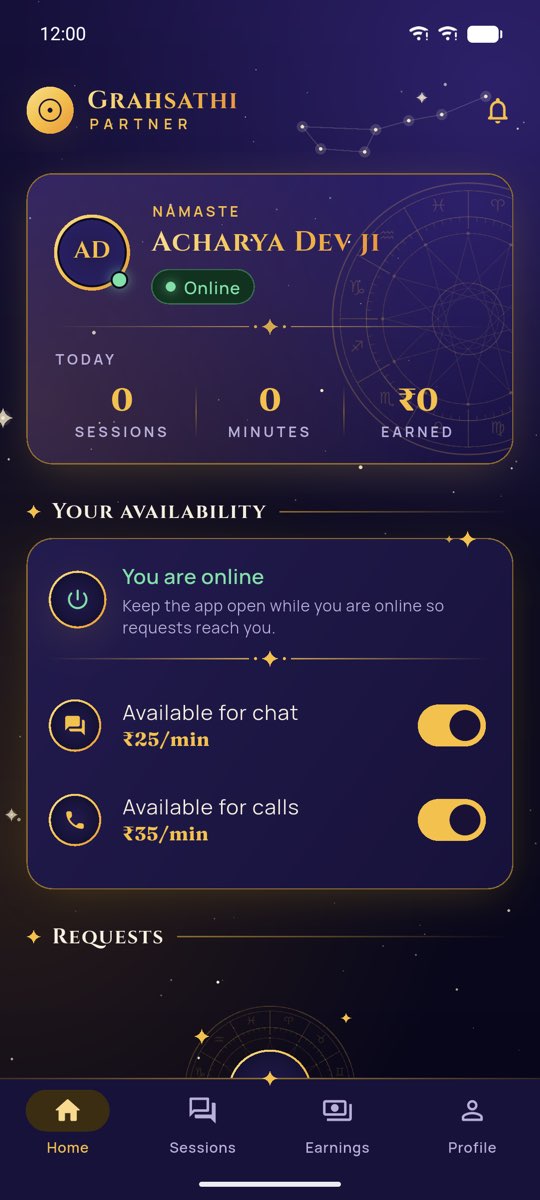
Go online when it suits you, separately for chat, calls and video.
Requests that ring
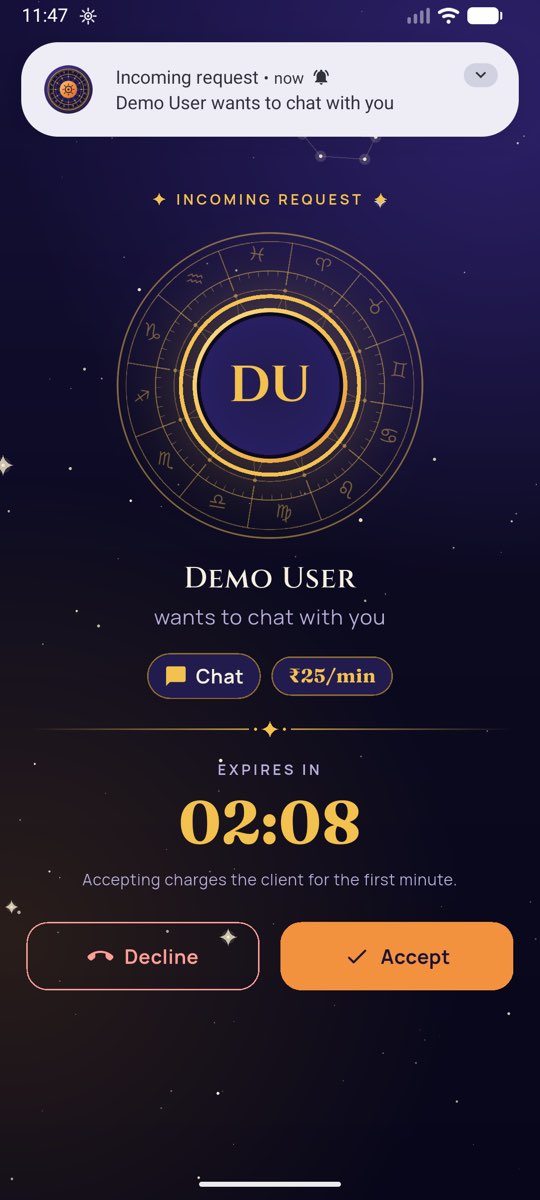
Incoming requests ring on your phone, even when it is locked. You accept or decline.
Paid by the minute
You earn your share of every billed minute and of every gift. Each entry shows in Earnings straight away.
Regular payouts
Payouts to your bank account or UPI after KYC, with TDS shown on every payout.
Go live
Start a live session, answer viewers and receive gifts.
Consultations stay here
Customers’ numbers are never shared and contact details in chats are hidden, for you and for them.
Go online per channel 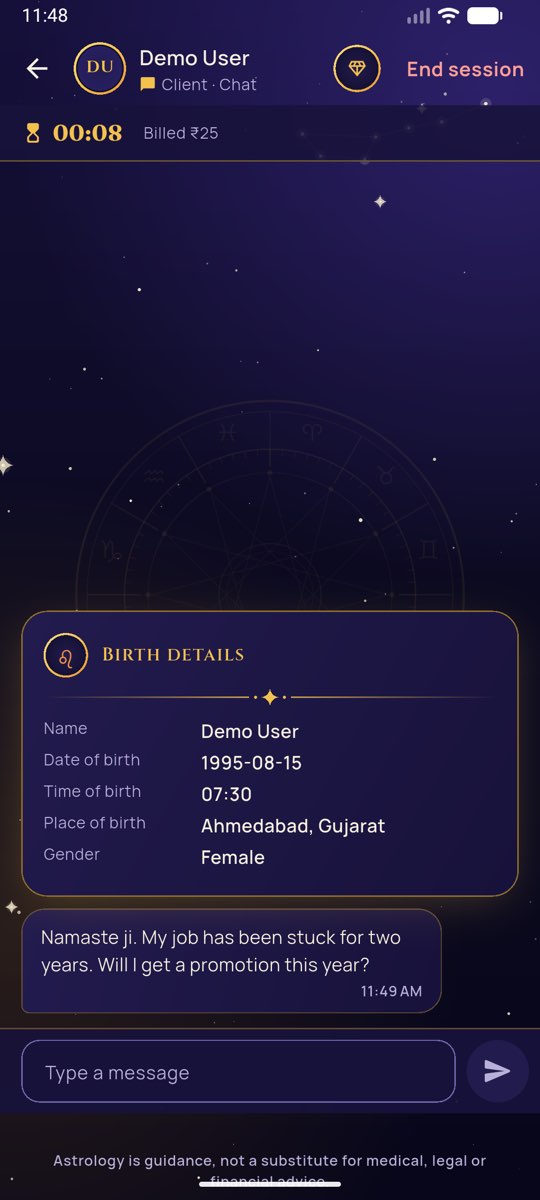
Consult with the birth details at hand 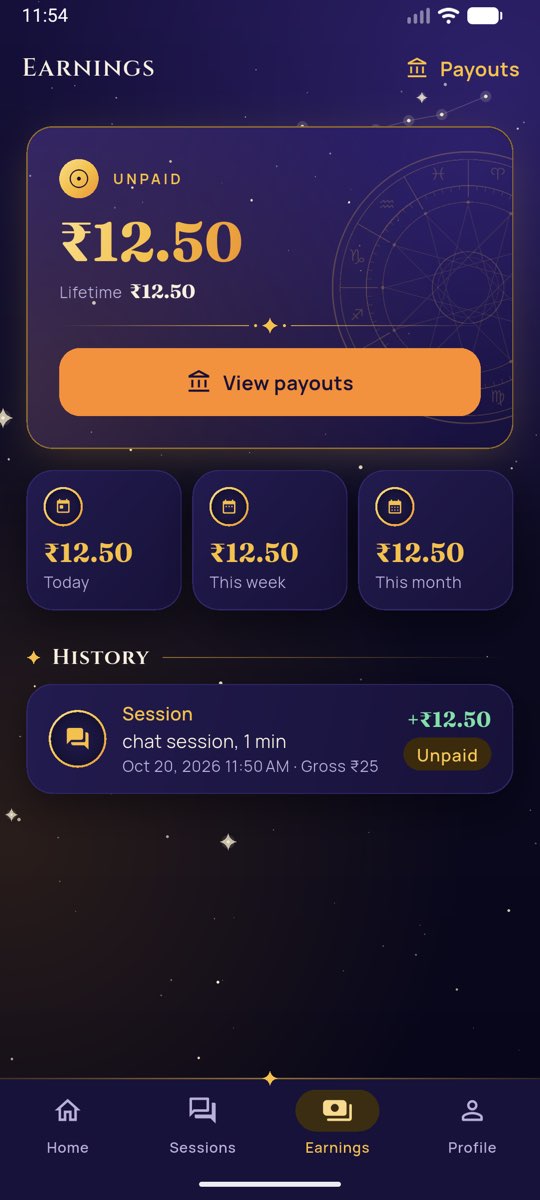
See every rupee you earn
Screens from the app with sample details.
Who can apply
What we look for
- You are 18 or over and consult in your own name.
- You practise Vedic astrology, tarot, numerology, vastu, palmistry or a related tradition.
- You have an Android phone for the Partner app.
- For payouts, you add your PAN and bank account or UPI ID after approval. PAN and account numbers are stored encrypted.
How it works
From application to your first consultation
Apply
Sign in with your mobile number and tell us about your practice, here or in the Partner app.
Our team reviews it
We check every application and set your rates, taking the rate you suggested into account.
Install the Partner app
Sign in with the same number to see your status. Once approved, add your payout details.
Go online
Switch on chat, calls or video and start taking requests.
Apply
Apply to consult on Grahsathi
It takes a few minutes. Use the mobile number you will use in the Partner app.
Application received
Thank you. Our team reviews every application and sets your rates when you are approved.
What happens next
Download the Partner appQuestions
Questions from astrologers
Does it cost anything to join?
No. Applying and using the Partner app are free.
Can I set my own rate?
You suggest a rate when you apply. Our team sets the final rates when your profile is approved, taking your suggestion into account.
How long does the review take?
Our team reviews every application. Sign in to the Partner app with the number you applied with to see your status; you get a notification there when it changes.
How and when am I paid?
You earn your share of each billed minute and gift. Payouts go to your bank account or UPI each payout period, after KYC, with TDS deducted as the law requires.
Will customers see my phone number?
No. Neither side sees the other’s number, and contact details typed in chats are hidden automatically.
Can I stop at any time?
Yes. Go offline whenever you like, or delete your account in the Partner app. What you have earned is still paid out.